
Dashboard
Once you're in Fetchy, you'll come across a dashboard that looks like this. Your dashboard will serve as your home base. You can access this screen anytime by clicking on "Home" in the side navbar.
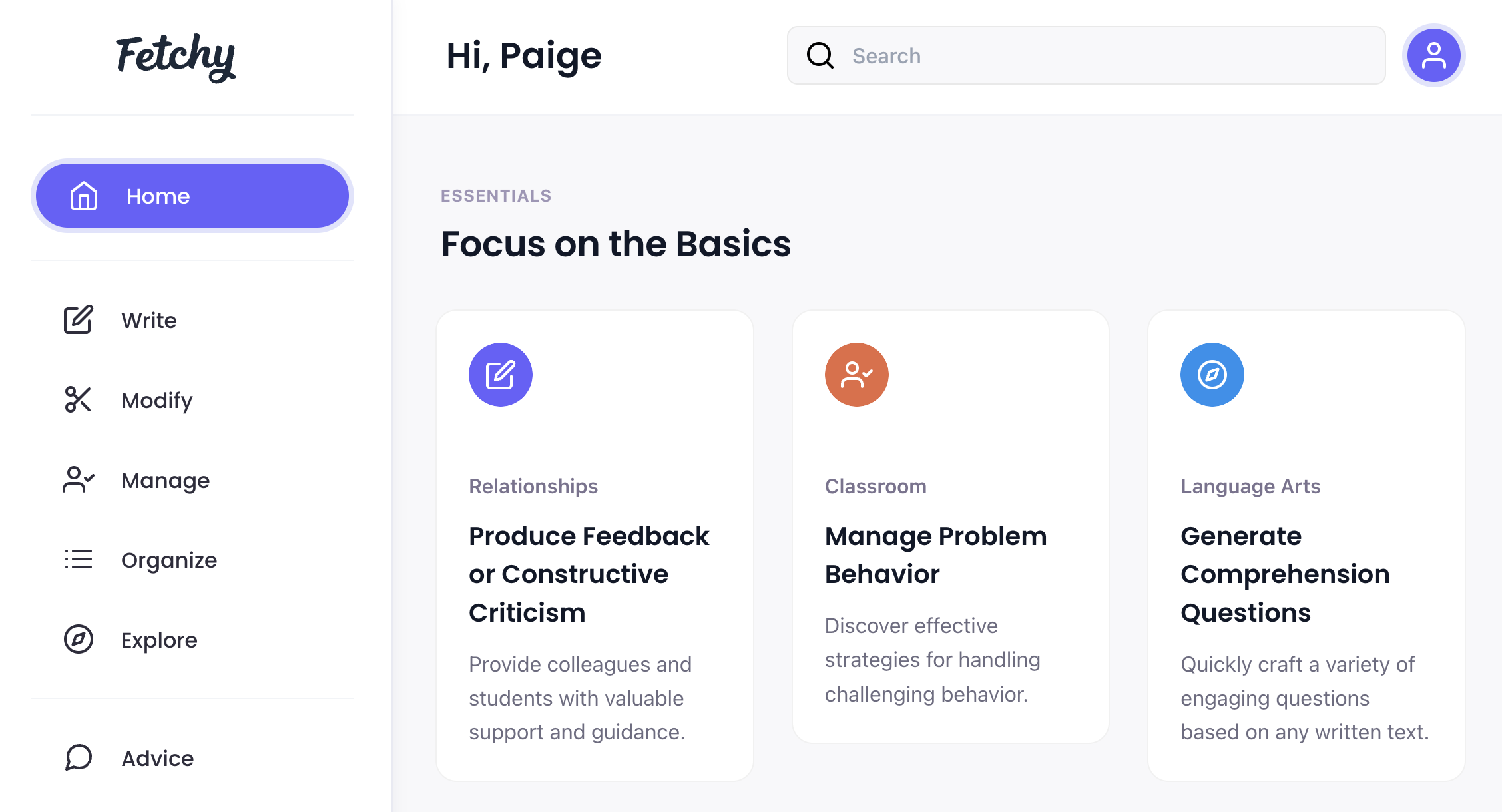
Within the Dashboard, you can:
- Search for your favorite tools.
- Discover new and noteworthy tools.
- Navigate the Write, Modify, Manage, Organize, and Explore categories.
- Ask for Advice
- Manage your account.
- Access your saved work
Prompt Templates
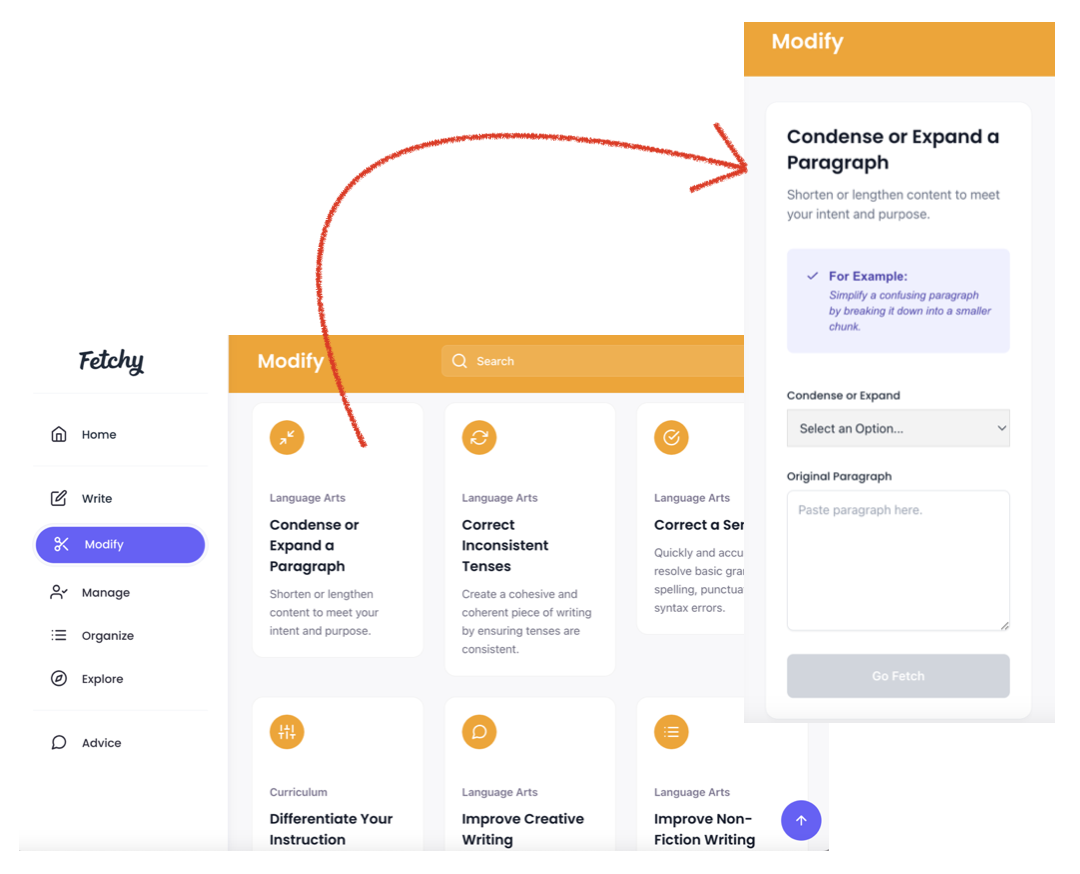
Fetchy has more than 50 powerful tools (i.e., prompt templates) that do specific tasks. You can discover different tools by clicking Write, Modify, Manage, Organize, or Explore on the left or using the Search bar at the top of the page.
When you find a tool that interests you, click anywhere on its card to get started. From there, you can add your input and create your content.
Copy, Save, and Regenerate
Upon generating content, you can copy or save your results. And if you'd like to generate an alternate version, you can easily do that too.
Accessing Saved Content
You can find saved content by clicking on your account icon in the top right-hand corner of the dashboard. From there, simply click on ‘Saved.’ On the Saved page, you will have the option to copy your created content for use elsewhere or to delete it permanently.